Reports
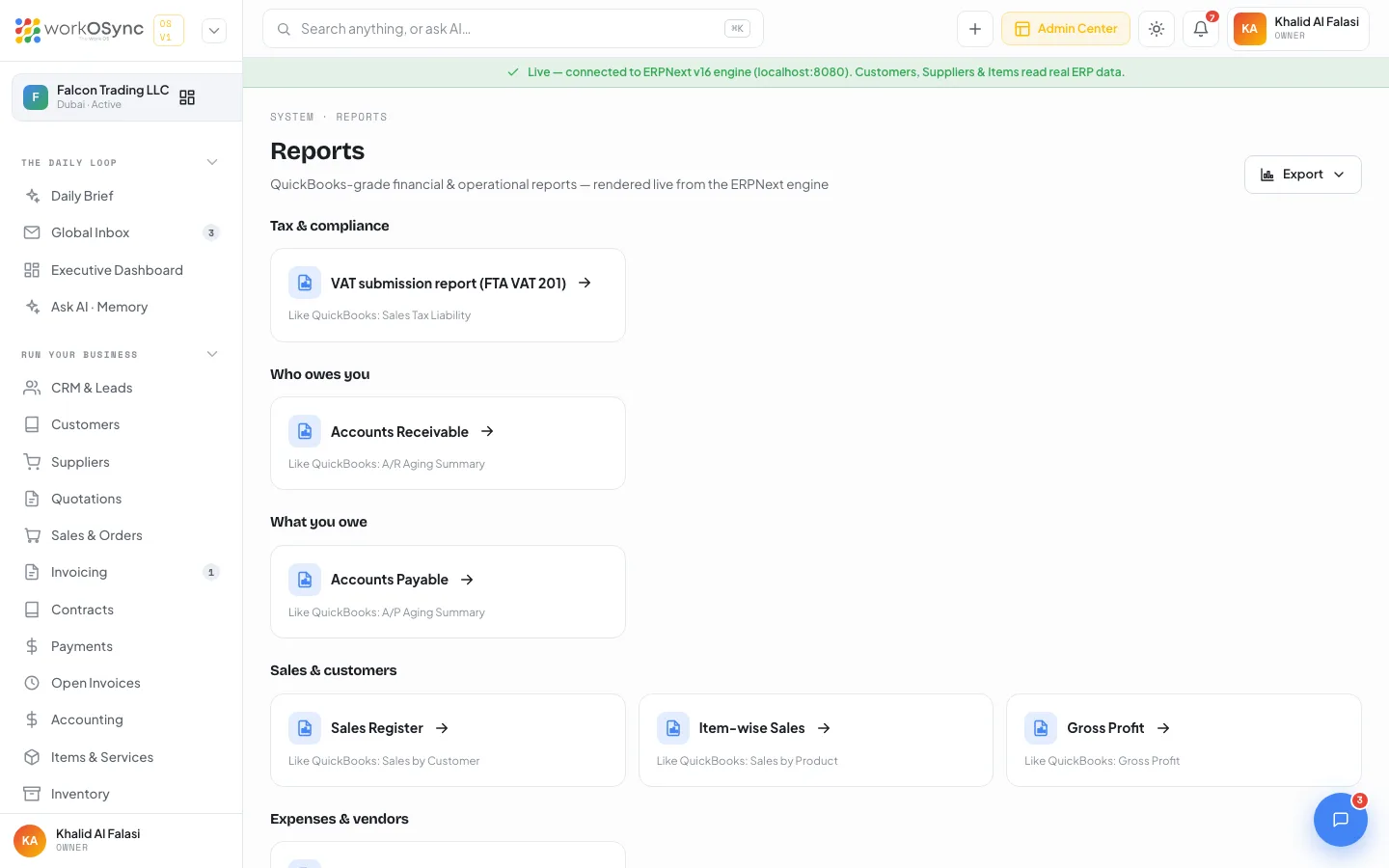
Reports is a catalogue of fourteen financial, operational and tax reports, each mapped to the QuickBooks report you already know. Thirteen are rendered live from the ERPNext engine; the VAT 201 return is WorkOSync's own. Open one, read it as a table, and export it to Excel, CSV or PDF.
The catalogue
Open System then Reports, or go to /reports. The page is titled Reports with the subtitle "QuickBooks-grade financial & operational reports - rendered live from the ERPNext engine". Reports are cards in a three-column grid grouped by section. Each card shows the title, an arrow and "Like QuickBooks: ..." naming the equivalent report, and links to /reports/{key}. The header Export menu downloads the catalogue itself as reports with the columns Report, Group, QuickBooks equivalent and Key.
| Key | Title | Group | QuickBooks equivalent | ERPNext report |
|---|---|---|---|---|
vat-201 | VAT submission report (FTA VAT 201) | Tax & compliance | Sales Tax Liability | UAE VAT 201 (native, opens the VAT return page) |
ar-summary | Accounts Receivable | Who owes you | A/R Aging Summary | Accounts Receivable Summary |
ap-summary | Accounts Payable | What you owe | A/P Aging Summary | Accounts Payable Summary |
sales-register | Sales Register | Sales & customers | Sales by Customer | Sales Register |
item-sales | Item-wise Sales | Sales & customers | Sales by Product | Item-wise Sales Register |
gross-profit | Gross Profit | Sales & customers | Gross Profit | Gross Profit |
purchase-register | Purchase Register | Expenses & vendors | Purchases by Vendor | Purchase Register |
general-ledger | General Ledger | Accountant | General Ledger | General Ledger |
trial-balance | Trial Balance | Accountant | Trial Balance | Trial Balance |
balance-sheet | Balance Sheet | Business overview | Balance Sheet | Balance Sheet |
profit-loss | Profit & Loss Statement | Business overview | Profit and Loss | Profit and Loss Statement |
cash-flow | Cash Flow | Business overview | Statement of Cash Flows | Cash Flow |
stock-balance | Stock Balance | Inventory | Inventory Valuation | Stock Balance |
stock-ledger | Stock Ledger | Inventory | Inventory Valuation Detail | Stock Ledger |
Sections appear in this order: Tax & compliance, Who owes you, What you owe, Sales & customers, Expenses & vendors, Accountant, Business overview, Inventory. The vat-201 card opens the VAT return at /accounting/vat-return rather than the generic renderer, so it has its own period selector, entry sheet and submission workflow; see Accounting.
How a report renders
/reports/[key] carries the crumb "Reports · {group}" and a subtitle naming the ERPNext report, the QuickBooks equivalent and the company. All reports returns to the catalogue, and the header Export menu downloads the rows.
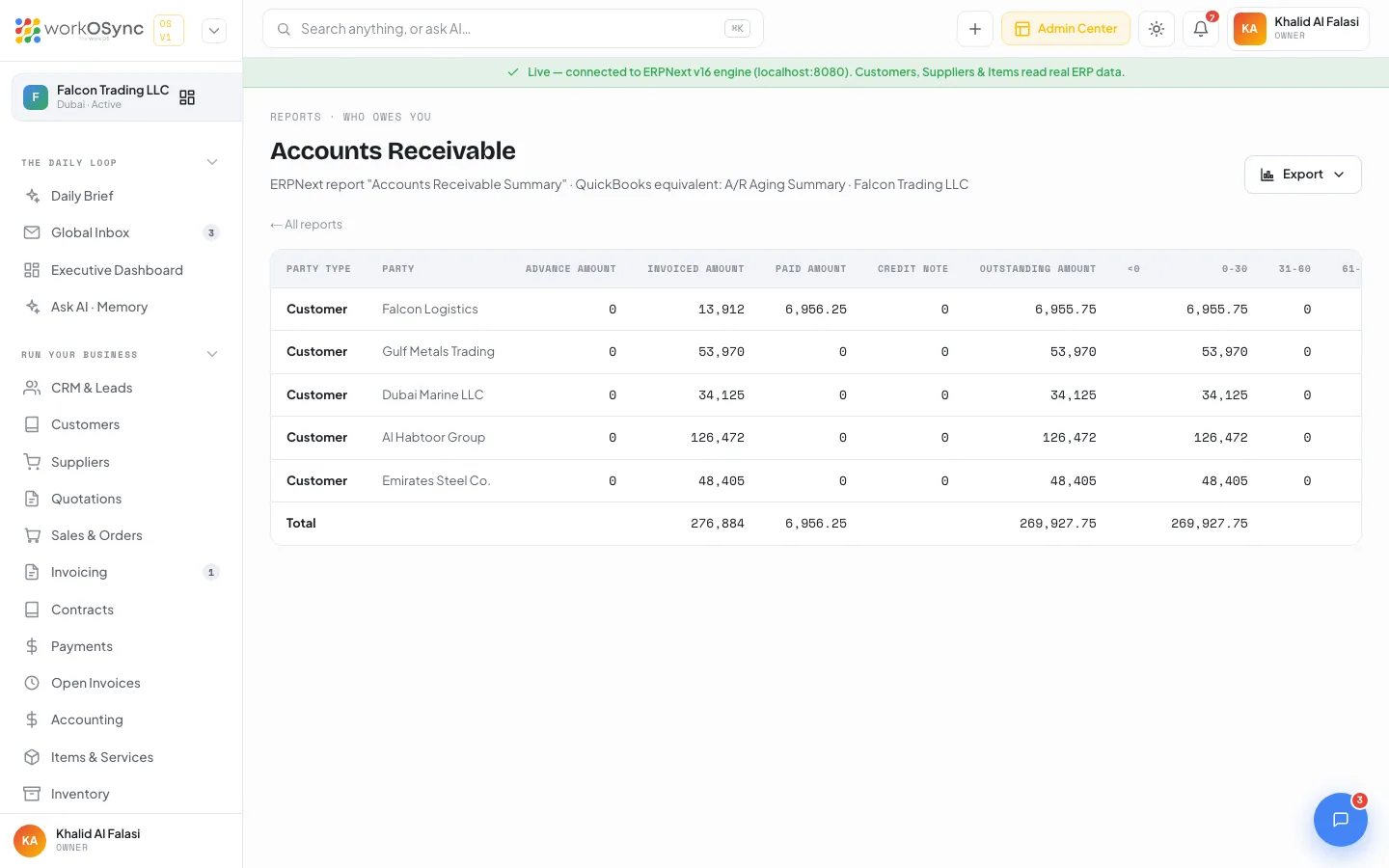
- The table is built from the ERPNext report's column definitions, so each report has its own headings.
- Currency, Float, Int and Percent columns are right-aligned and number-formatted.
- Nested rows (account trees, customer groups) are indented 16px per level; top-level rows are bold.
Presets
There are no filter controls in the UI; every report runs with a fixed preset that matches the demo financial year.
| Report | Preset filters |
|---|---|
| Accounts Receivable, Accounts Payable | Report date 2026-09-30, aged by due date, 30 / 60 / 90 day buckets. |
| Sales Register, Item-wise Sales, Purchase Register, General Ledger, Stock Balance, Stock Ledger | Financial year 2026-01-01 to 2026-09-30. |
| Gross Profit | Financial year, grouped by Invoice. |
| Trial Balance | FY 2026. |
| Balance Sheet, Profit & Loss Statement, Cash Flow | FY 2026, Yearly periodicity. |
Editable date ranges and filters arrive with the ERPNext reporting integration. For a quick year-to-date view of the P&L, balance sheet, trial balance, general ledger or AR ageing, use the statement pages in Accounting.
Empty and error states
| Message | When you see it |
|---|---|
| Couldn't run this report | The engine returned an error for this report. |
| Connect the ERPNext engine to run live reports. | Demo mode: reports have no demo data and need the live engine. |
| No data for this period | The report ran but returned no rows for the current filters. |
Exports
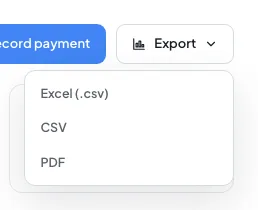
The Export button is a ghost button with a chevron. It opens a menu with three options and is disabled when the report has no rows.
| Option | What you actually get |
|---|---|
| Excel (.csv) | A CSV file with a UTF-8 byte-order mark so Excel opens it with the right encoding. It is still a .csv, not a workbook. |
| CSV | A plain CSV with a header row and quoted fields, named after the report key. |
| Opens a 900 by 700 window with a clean HTML table headed by the report title and "WorkOSync · Falcon Trading LLC · exported {date}", then the browser print dialog so you can save as PDF. |
Everything runs in the browser; nothing is uploaded. See Exports and printing for the same menu on other pages.
Related statement pages
Accounting has its own statement pages that read the ledger directly, without presets: Profit & Loss, Balance Sheet, Trial Balance, General Ledger, AR ageing and the VAT 201 return. Use those for the UAE tax view and this catalogue for the QuickBooks-style operational reports such as Sales Register, Gross Profit, Cash Flow and the stock reports. The audit log records who ran what.