Banking and reconciliation
Banking turns a bank statement into clean ledger entries. You import the statement, WorkOSync suggests the invoice or bill each line belongs to, you confirm the match, and it posts the payment and marks the line reconciled. When every statement line is matched, the bank balance in your books equals the balance on the statement and your cash position is trustworthy.
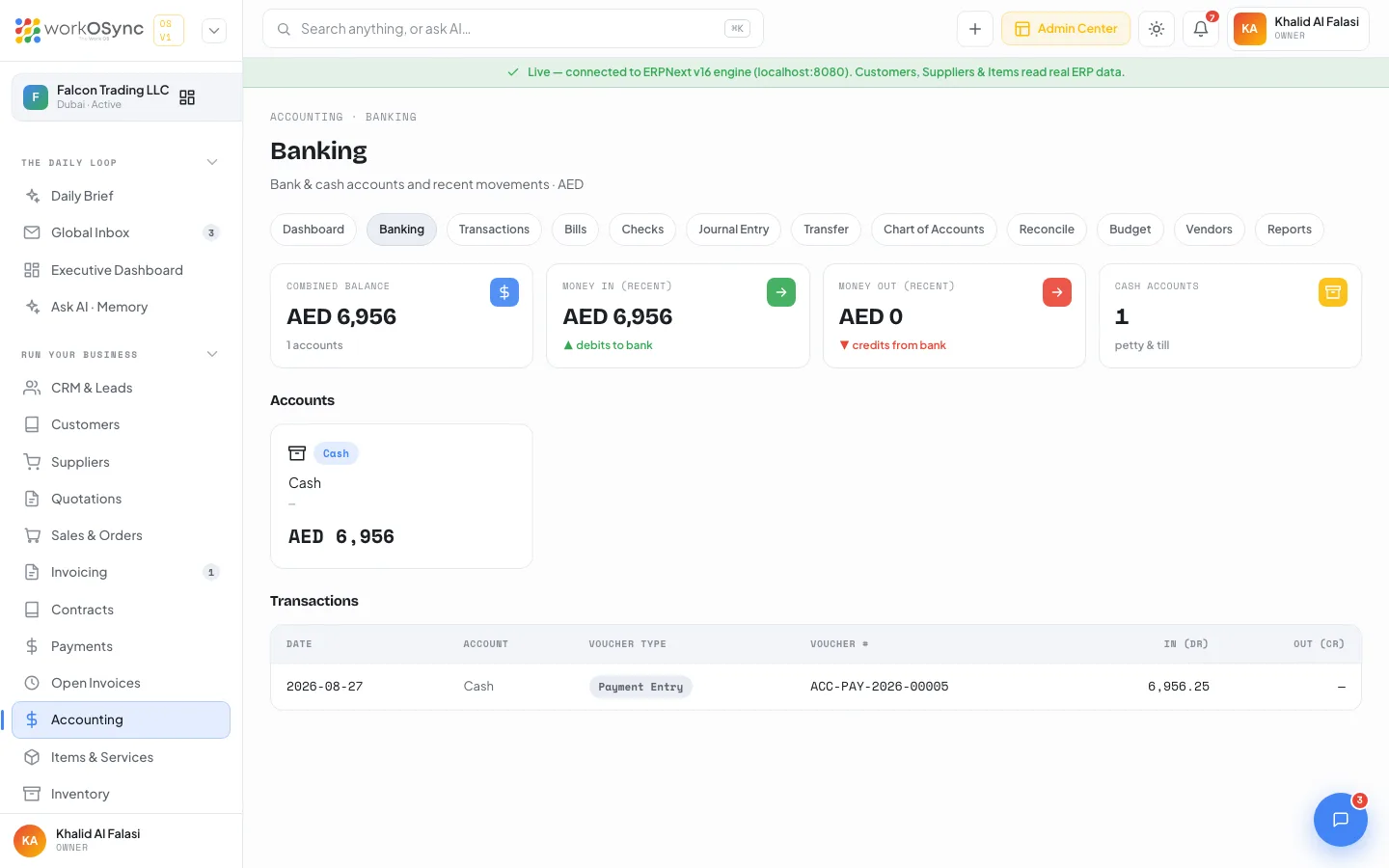
Banking reads the ERPNext engine when it is connected and falls back to demo data when it is not. The demo accounts are Emirates NBD - Current, ADCB - USD account and Petty cash, the same accounts shown on the Accounting banking screen.
The banking workspace
Open Run then Banking, or go to /banking. The page is titled Banking with the subtitle "Import a statement, match lines and reconcile to the ledger". KPI tiles: Statement balance, Book balance, Unmatched lines and Difference, which reads reconciled in green when it reaches zero. The header carries an Import statement button and a bank-account selector.
Importing a statement
Import statement accepts a CSV downloaded from your bank. You map the columns (date, description, money in, money out, reference) once per bank and the mapping is remembered. Each imported row becomes a statement line with its Date, Description, Amount (money in positive, money out negative) and a Match status of Unmatched until you deal with it.
Matching lines
For each statement line, WorkOSync proposes the most likely counterpart from the ledger by amount, date and reference:
| Line type | What it matches to | What posting it creates |
|---|---|---|
| Money in | An open sales invoice (or a customer advance). | A receipt against the invoice; its outstanding balance falls. |
| Money out | An open supplier bill (or a staff reimbursement). | A payment against the bill; the payable falls. |
| Transfer | Another of your bank or cash accounts. | A contra entry moving funds between the two accounts. |
| Bank charge / interest | An expense or income account you pick. | A direct journal line (for example bank charges). |
Confirm the suggestion, or search for the right document yourself, and the line turns Matched. A line can split across several documents (one lump receipt settling two invoices) or be posted directly to an account when it has no document behind it.
Posting and reconciling
Matching a line posts the payment entry immediately: the receipt or payment hits the bank account and clears the invoice or bill, so Payments, the customer or supplier statement and the general ledger all update at once. As each line is matched the Difference tile falls toward zero. When it reaches zero the account is reconciled for that statement: the book balance equals the statement balance and nothing is unexplained.
Reconciling a statement end to end
- Pick the account and import
Select the bank account, click Import statement and upload the CSV from your bank. Map the columns the first time.
- Work the suggestions
Go line by line, confirming the proposed invoice, bill or transfer. Post bank charges and interest directly to an account.
- Handle the leftovers
Search for a match on any line the engine could not guess, or split a lump sum across several documents.
- Close it out
When Difference turns green you are reconciled. Anything still unmatched is a transaction your books have not recorded yet.
Orders taken through a connected online store (a commerce channel such as Shopify or WooCommerce) are brought into the books here: when a payout or order batch is reconciled, each online order posts to the ledger as a tax invoice, with 5% VAT, so storefront sales feed the VAT 201 return alongside the invoices you raise by hand.
Banking here is the statement-driven way to bring money in and out: it creates the payment entries for you from the bank feed. The Payments screen records a single receipt or payment by hand, and the Reconcile screen in Accounting ticks already-posted entries against a statement. They write to the same ledger, so pick whichever fits how the money arrived.